Notion Habit Tracking: Why Flexibility Kills Consistency
If you are interested in productivity, you almost certainly use Notion. It is arguably the best tool ever built for project management, documentation, and organizing your digital life. Because it is so powerful, the natural instinct is to try to use it for everything—including your daily habits.
If you're into productivity, you almost certainly use Notion. It's hands down the best tool for documentation and organizing your digital life. Because it's so powerful, it's tempting to use it for everything—including your daily habits.
I’ve been there. I spent hours crafting the perfect "Life OS" dashboard. I built databases with rollups, complex formulas for progress bars, and aesthetic cover images. It looked incredible.
But after a few weeks, I noticed a pattern: I was spending more time designing my habit tracker than actually doing the habits.
While Notion is fantastic for managing projects, it often creates too much friction for daily tracking. Here's why shifting to a simpler system might be the key to consistency.
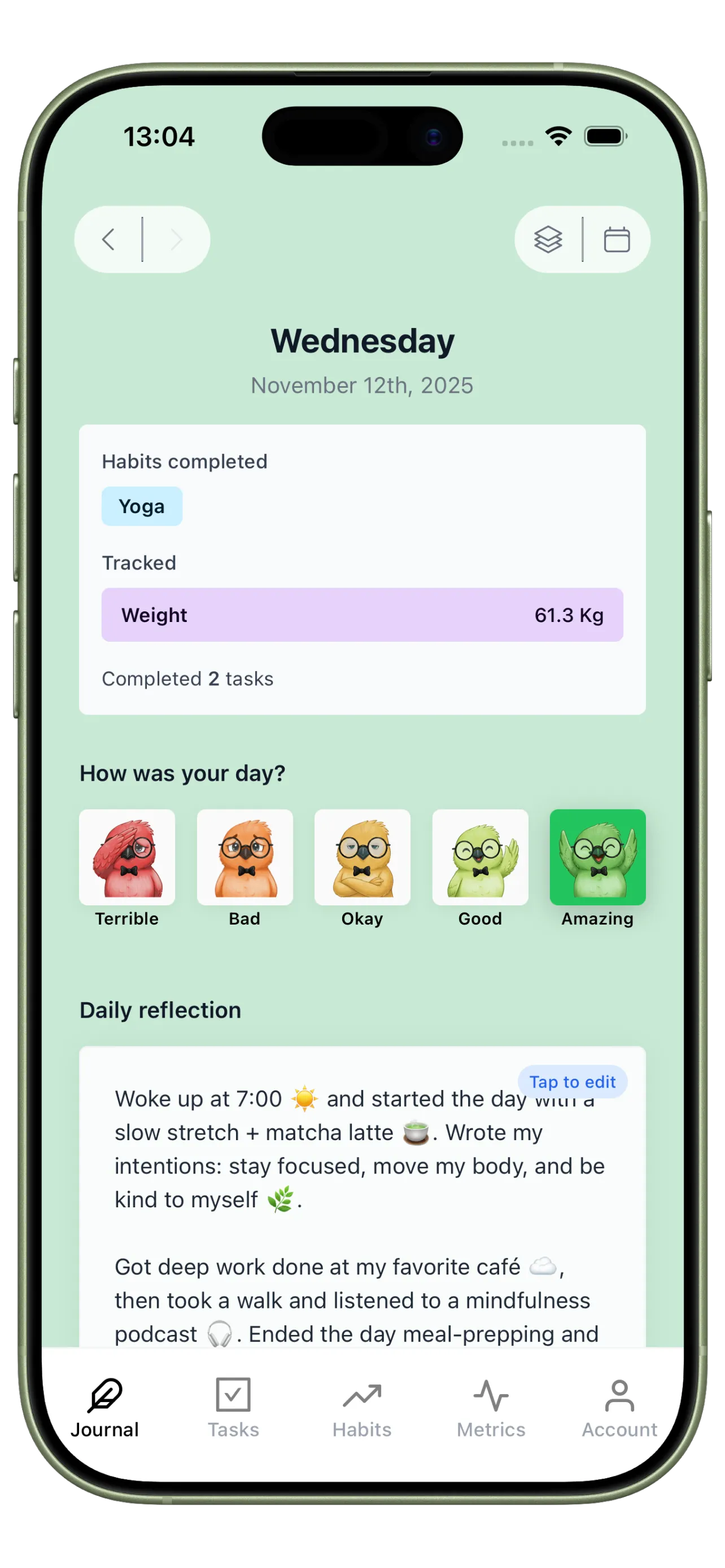
See your whole day in one place

The "Database Dilemma"
The core problem with using a database tool for habits is friction. The harder it is to do something, the less likely you are to do it.
When you track habits in Notion, you hit these friction points:
1. Mobile Load Time
Habits happen away from your desk. You finish a workout, drink water, or read a book. You want to log that immediately. Opening a heavy Notion database on your phone can take seconds to load. That tiny delay is often enough to make you think, "I'll log it later." Spoiler: you usually won't.
2. Maintenance
Notion templates can be fragile. If you add a new habit mid-month, it often breaks your formulas or requires you to manually update old entries. Instead of focusing on your self-improvement, you end up debugging database relations. It becomes a admin task, not a helpful ritual.
3. No Native Analytics
To see a simple streak count in Notion often requires complex formulas. If you want to see if you sleep better on days you read, you practically have to be a data scientist. A habit tracker should give you these insights automatically.
App Fatigue
Many people try to solve this by using too many apps. They end up with:
- Notion for projects.
- Todoist for tasks.
- MyFitnessPal for food.
- Streaks for habits.
This leads to "App Fatigue." By week two, you forget which app to check. Your data is scattered, and you can't see the big picture.
People join Three Cells to get more energy, confidence, structure, and peace of mind. The app turns that intent into a simple daily system you can actually stick to.
The Solution: Simplicity
To build habits that stick, you need to remove friction. You need a tool that combines the essentials without the bloat.
This is why I built Three Cells.
I wanted to stop "gardening" my productivity tools and start living. Three Cells is designed around the three pillars of self-improvement: Journaling, Habits, and Metrics.
1. Visualizing Consistency
There's something satisfying about seeing a grid fill up with color (like GitHub's contribution graph). Three Cells brings that heatmap to your personal habits.
Instead of a boring checklist, you get a visual history. You can see your streaks at a glance. This simple visual feedback encourages you not to break the chain.
2. Context Through Journaling
Habit data is useless without context. Knowing you missed a workout is just data. Knowing you missed it because you felt anxious is insight.
Three Cells puts a minimal journal right next to your habits. You answer simple prompts and rate your day. This lets you spot patterns, like realizing you always have "Good" days when you read in the morning.
3. Metric Tracking
Sometimes a checkbox isn't enough. You want to track pages read or steps taken.
In a database, this is just a number. In Three Cells, these metrics instantly turn into interactive graphs. You can watch trends emerge over weeks without writing a single formula.
Conclusion
If you enjoy building databases as a hobby, Notion is wonderful. But if your goal is self-improvement, you need a tool that gets out of your way.
The best productivity system is the one you actually use on your worst days, not just your best ones.
Three Cells isn't trying to replace Notion for your projects. It's just a focused companion for your daily life. One app, three features, zero clutter.
Give yourself the best chance at consistency. Stop managing the tool and start managing your life.